Player support
Help on the course
How to swing, putt, take a drop and get on the leaderboard. If something isn't working, the form at the bottom comes straight to us.
Playing
The swing
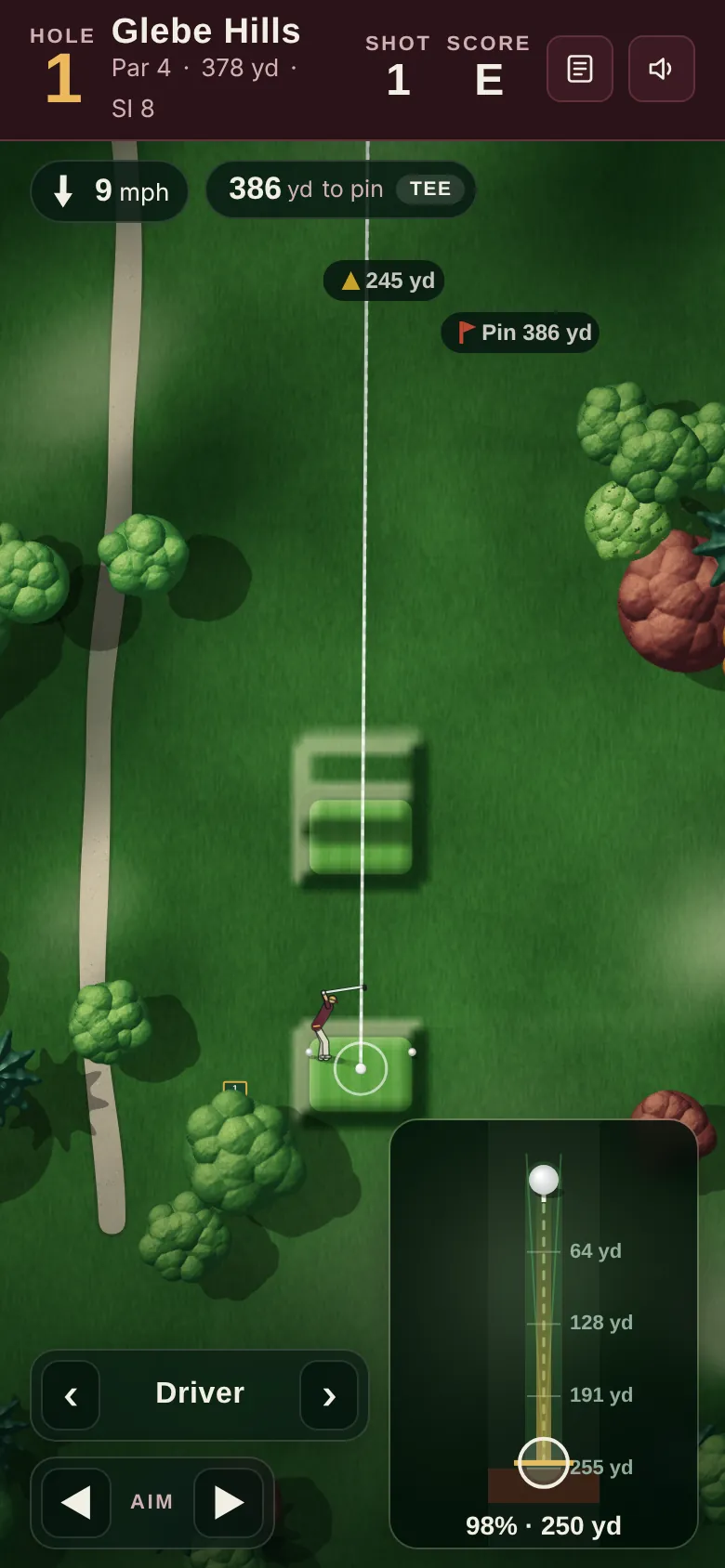
Put your thumb on the ball in the swing pad, pull straight down for power, then swipe up through the ball in one smooth movement. On the first hole an animated finger shows you how.
- Power
- The further you pull back, the further it goes. Pulling into the red zone at the bottom adds a little extra but makes the shot less reliable.
- Shape
- Swipe straight for a straight shot. Curve the swipe to the right for a draw or a hook, and to the left for a fade or a slice. Every shot is called by its shape, and a straight shot that starts off line is called a push or a pull.
- Tempo
- A very slow swipe loses distance and a snatched one loses control. Smooth wins.
- Aim
- Drag on the course to aim, or use the arrows. Tap Map to see the whole hole.
Clubs and short game
Clubs, chips and putts
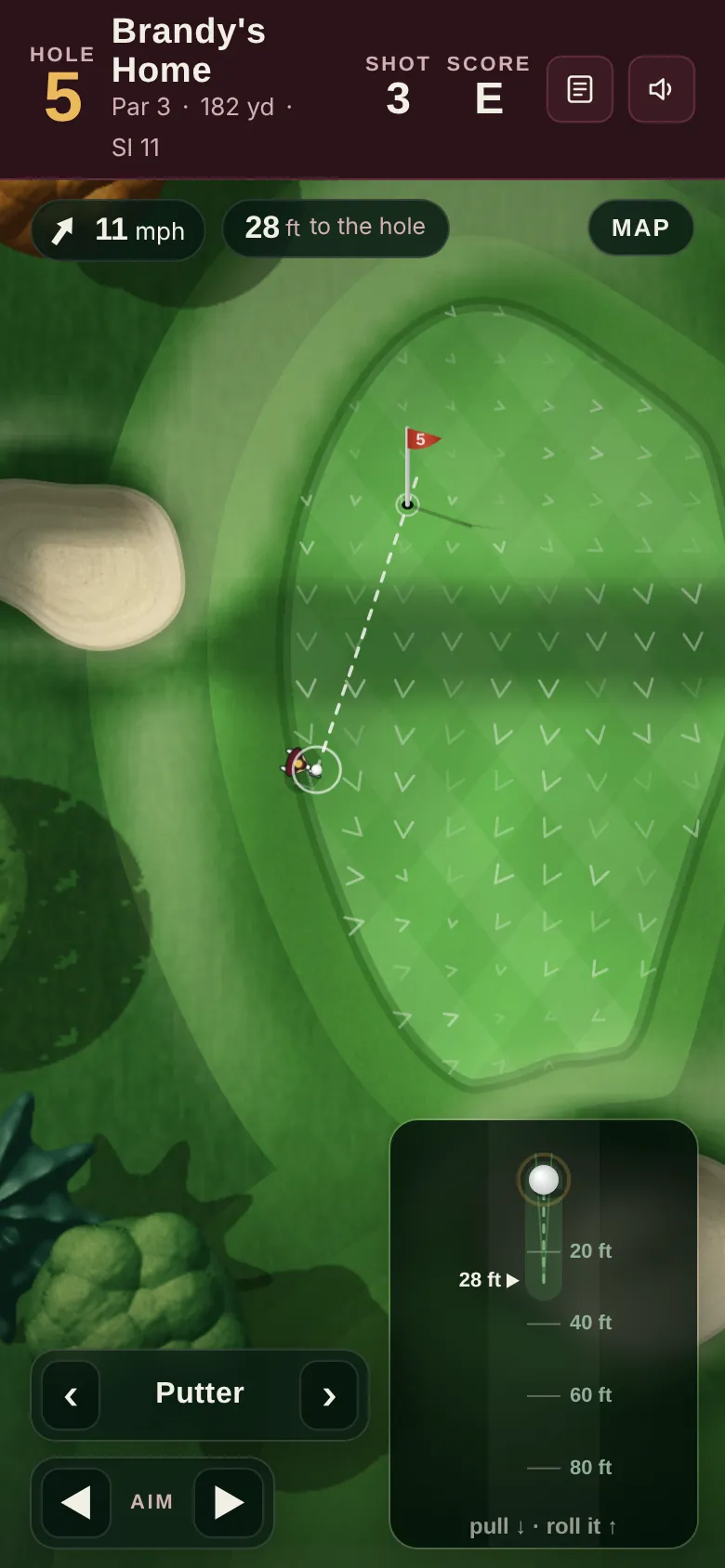
The game picks a sensible club for each shot. Use the arrows either side of the club name to change it.
- Which clubs
- The bag holds 14 clubs. The driver is for the tee only. The putter is offered on the green and from just off it. In a bunker you'll get the clubs that can actually get you out.
- Chips and pitches
- Close to the green the pad shows yardages and a pin marker. Pull back to the marker for the right distance. A lower-lofted club runs out more along the ground.
- Putting
- Arrows on the green show which way it breaks. Pull back to the distance in feet and swipe through. Hit it too firm and it can lip out.
- Gimmes
- Leave it a few inches from the hole and it's given automatically, adding one stroke.
Rules and penalties
Played by the rules
- Out of bounds
- One penalty stroke, and you replay from where you hit it. A tee shot out of bounds means you're playing your third from the tee.
- Water
- One penalty stroke. Choose a drop beside where it went in, back on the line from the hole, or replay the shot.
- Under trees or plugged in sand
- Tap Take relief to see your options. Playing it as it lies is free. Other options cost one stroke, or two to drop outside a bunker.
- Back on the line
- The legal drop spots are marked on the course with their distance to the pin. Tap the one you want.
- Picking up
- The most you can score on a hole is 10.
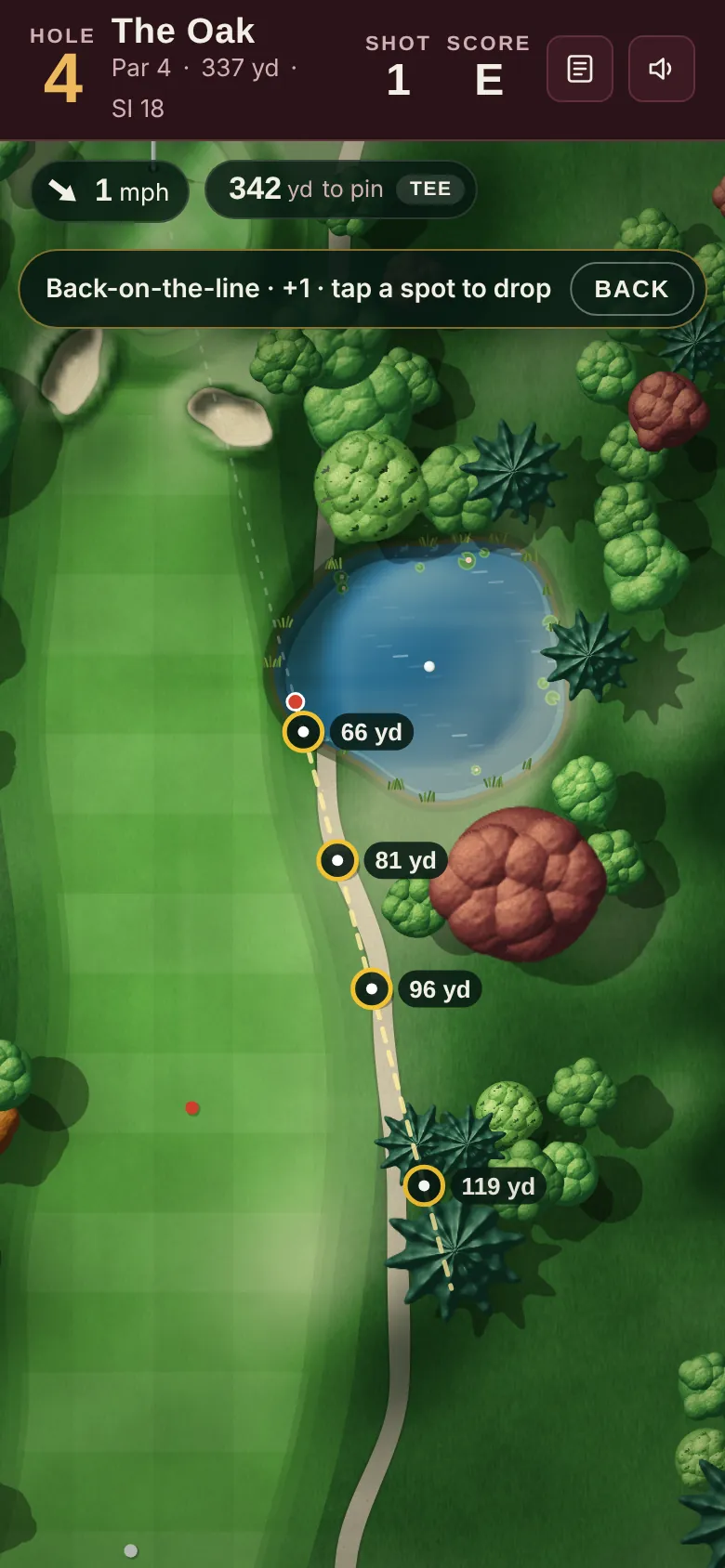
Drop spots are shown right on the hole, so you can see what you're leaving yourself before you choose.
Leaderboard
The weekly board
- One card a week
- Each name can post one card per week, per set of tees. Type your name on the start screen before you tee off.
- When it resets
- A new board starts every Monday, UK time. Last week's final standings stay up under the Last week tab.
- Daily pins
- Pin positions change every day, so every day's round plays a little differently.
- Names
- The club can remove any name from a board. Keep it friendly.
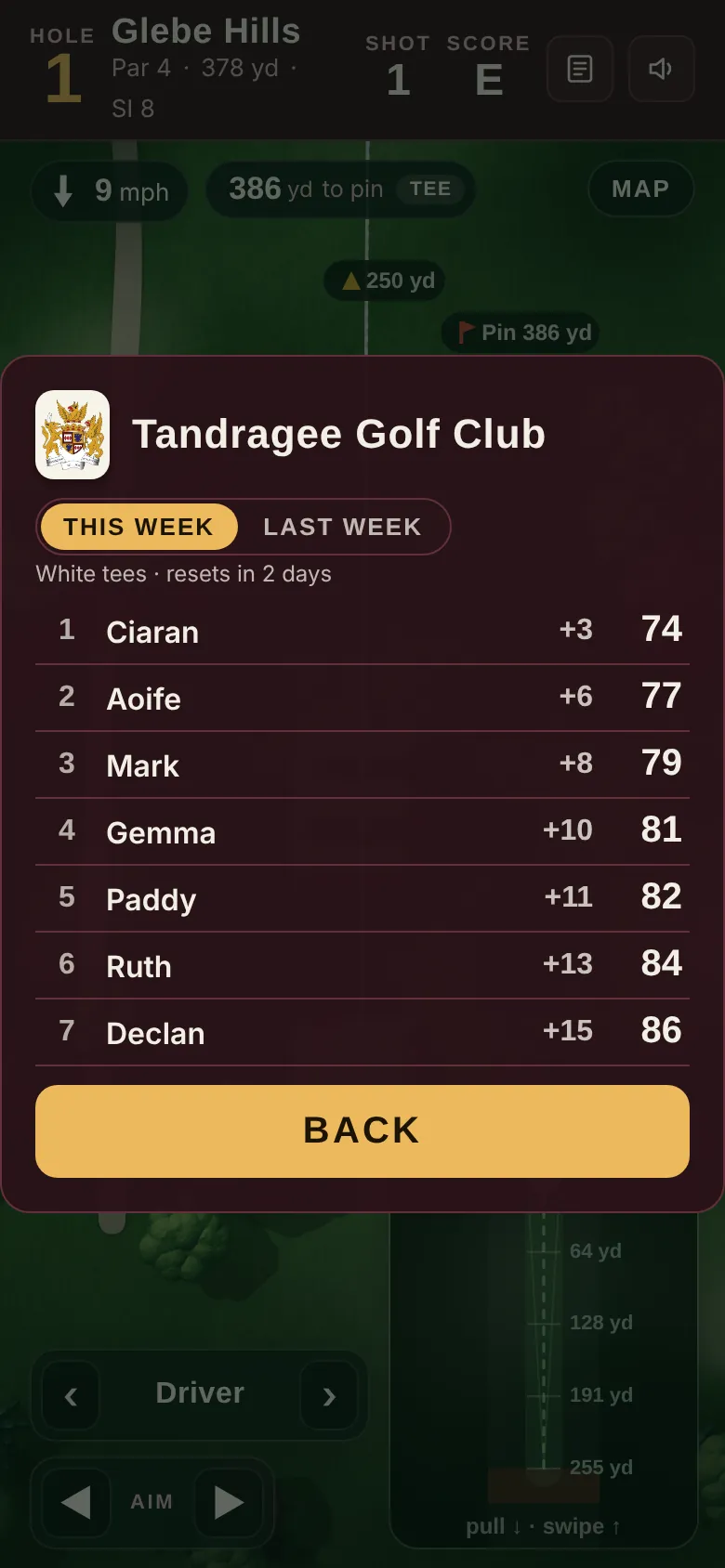
Tap Leaders on the start screen to check this week's board before you go out.
Your phone
Getting the best from it
- Add it to your home screen
- On iPhone, open the club's link in Safari, tap Share, then Add to Home Screen. On Android, open it in Chrome, tap the three-dot menu, then Add to Home screen or Install app.
- No sound?
- Tap the speaker button at the top. On iPhone, the silent switch also mutes the game.
- Hold it upright
- The game is laid out for a phone held upright. Turn it back round if you see the rotate message.
- Stopped part way?
- Your round is saved on your phone. Open the game again and tap Continue your round.
- Something looks stuck
- Close the page and open it again. Your round picks up where you left it.
- Your information
- There's no account or login. The club sees anonymous counts of visits and rounds, and the leaderboard shows the name you type.
Report a problem
Something not right?
Tell us what happened and which phone you were on. A hole that doesn't look like the real one is just as useful to hear about as a bug.
Club secretary or manager? Use the club enquiry form instead.